
Phase
Echo XL
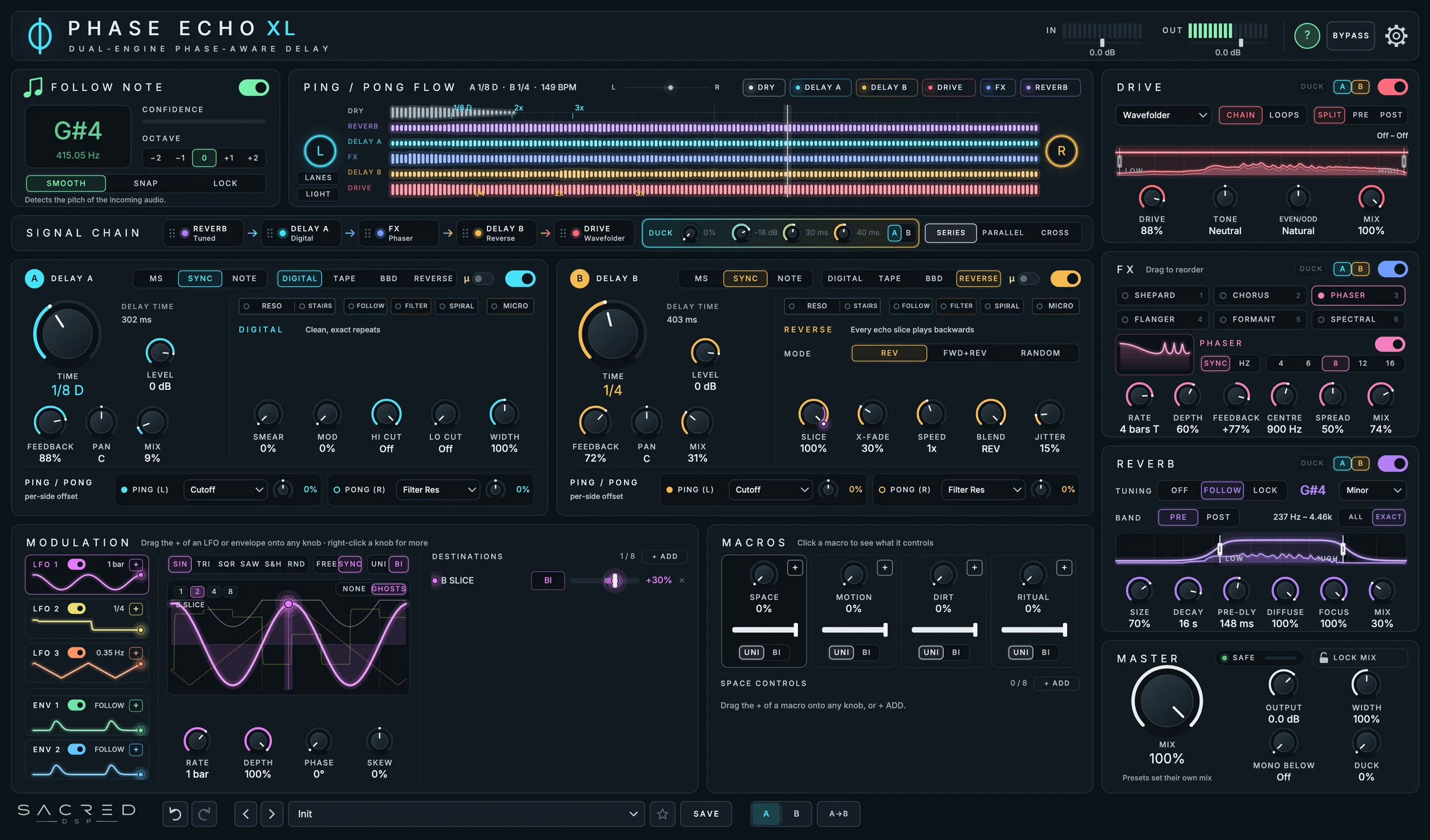
It listens to the note you play and tunes everything around it: the echoes, the resonance, even the reverb. Two delays take turns instead of turning into mud.
Mac AU + VST3Windows VST3189 presets7-day trial
A delay that plays along
What it does, module by module.
Follow Note
It hears what you play
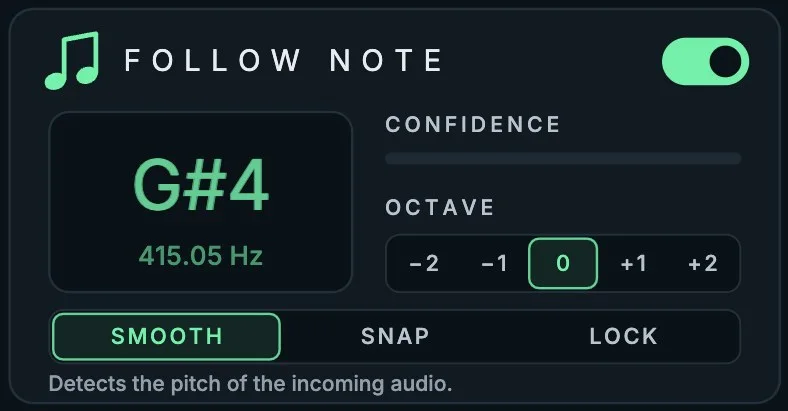
Follow Note finds the pitch of your lead, live. Everything in the plugin can play along in that note: echo times in note cycles, tuned resonance, harmony echoes and the reverb.
- SMOOTH glides with your bends, SNAP locks to the semitone
- LOCK holds a note you choose
Tuned reverb
A reverb that sings in your key
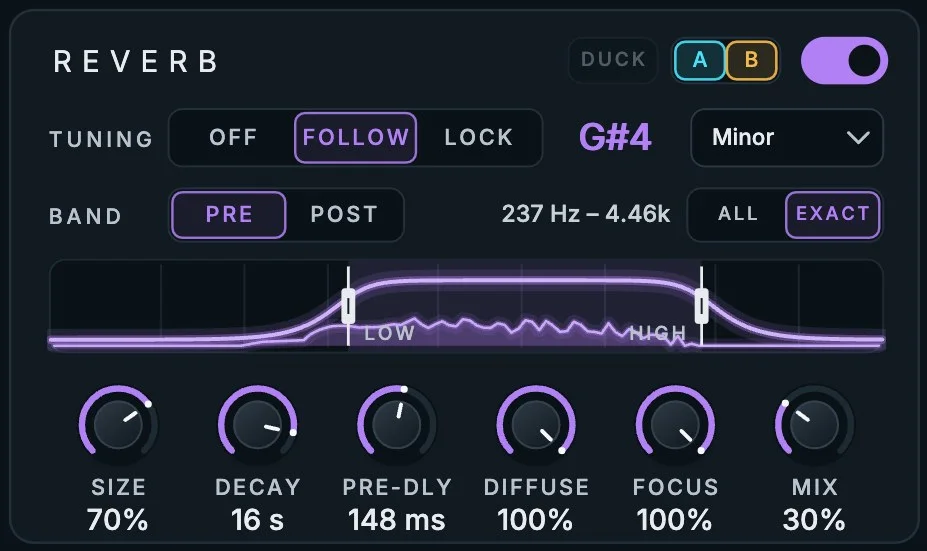
Set TUNING to FOLLOW and the tail rings on a chord built on your note. Turn up FOCUS and only that note goes into the reverb: a huge, singing space behind your lead while kick, hats and noise stay dry.
- Root, octaves, fifths, minor, major or sus4
- Put it on one delay only, with or without the duck

A / B Duck
Two delays that take turns
Two delays usually turn into mud. Here one steps back while the other plays and answers in the gaps. Light both A and B and they hold a conversation. It reacts before the echo hits, so there are no clicks.
- Threshold, release and speed, from tight plucks to slow pads
- Drive, FX and reverb can follow the duck, or ring on
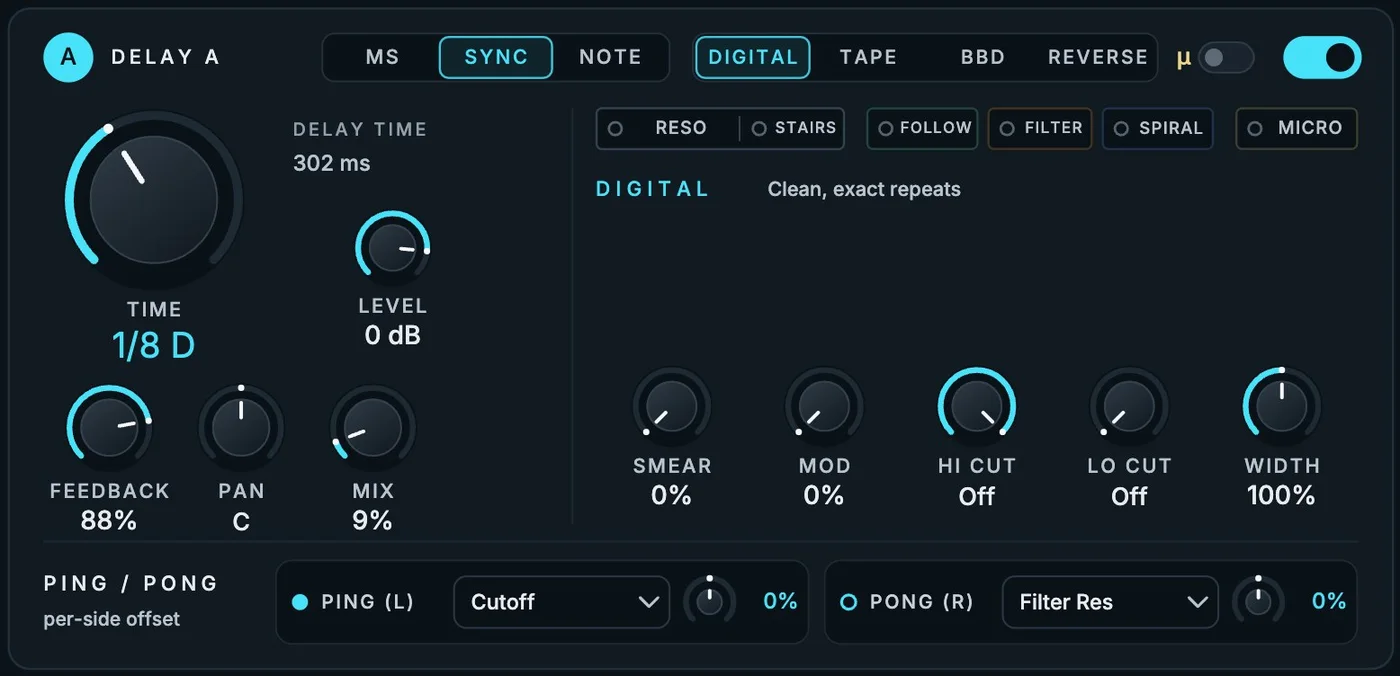
Two delay engines
Four characters, twice
Each delay can be clean Digital, wobbly Tape, dark BBD or Reverse. Then every echo can become something else:
- RESO echoes ring like tuned metal, combs or chords
- STAIRS one note in, a melody out
- FOLLOW harmony echoes and repeats that climb in pitch
- FILTER, SPIRAL and a tuned MICRO delay

Ping / Pong Flow
See your echoes
The last eight beats, live: your dry sound, both delays, drive, FX and reverb, each in its own colour. You don't guess what your delay is doing. You see it.
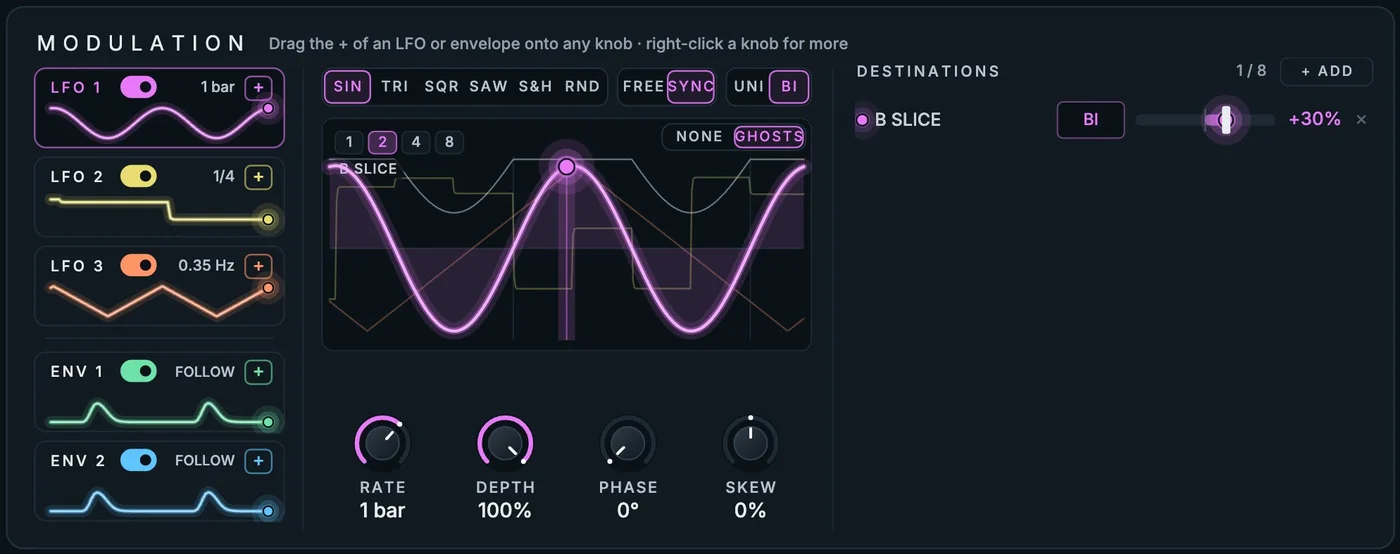
Modulation & macros
Drag it onto a knob, it moves
Drag the + of an LFO or envelope onto any knob. Three LFOs, two envelopes that follow or trigger on your playing, and four macros (SPACE, MOTION, DIRT, RITUAL) that move many things at once.
- DRIVE
- Twelve flavours of dirt
- Tape to chaos, 4x oversampled. In the chain, or inside the feedback loops so every echo gets dirtier.
- FX
- Six effects, any order
- Phaser, flanger, chorus, an endless Shepard riser, talking formants and spectral shimmer.
- ROUTING
- Series, parallel, cross
- Drag the blocks of the signal chain to change the order. Cross weaves the two delays into each other.
- MASTER
- Mix you can lock
- Lock the mix while you browse presets, mono below a frequency, width, and a duck that lets your playing through.
- PRESETS
- 189 presets
- Fourteen categories, from clean everyday echoes to psy leads, A / B ducking, tuned spaces and sound design.
- WORKFLOW
- Undo, A / B, help
- 50 steps of undo, A / B compare, and a help mode that explains every control under your mouse.
Phase Echo XL
One purchase gives you the Mac (AU + VST3) and Windows (VST3) installers, the 189 presets, the PDF manual and a license for 2 of your own computers. Updates within version 1 are free.
Want to hear it in your own tracks first? Download the free 7-day trial: the same plugin with every feature (it plays a short noise now and then until you activate). When you buy, enter your license code in the plugin. No reinstall needed.
Install
Run the installer, open your DAW and let it scan. The plugin starts a 7-day trial; enter the email and license code from your purchase to activate it.
| System | What you need |
|---|---|
| macOS · AU + VST3 | Apple Silicon or Intel. Logic Pro, Ableton Live, Bitwig Studio, Reaper or any AU / VST3 host |
| Windows · VST3 | 64-bit VST3 host, such as Ableton Live, FL Studio, Bitwig Studio or Reaper |
| License | 2 of your own computers. Works offline after activation |
Mac: open the installer
The installer isn't notarized by Apple yet. If macOS says it can't be opened, open System Settings → Privacy & Security and click Open Anyway, or right-click the installer and choose Open.
Windows: run the installer
If Windows SmartScreen shows a warning, choose More info, then Run anyway. The plugin goes to C:\Program Files\Common Files\VST3.
Ableton Live on Windows
Right-click the title bar of Phase Echo XL in the device chain and turn Auto-Scale Plug-In Window off, so the plugin draws itself sharp at your screen scaling.
Rescan and play
Restart your DAW. In Logic Pro, open the Plug-in Manager and choose Reset & Rescan Selection if the plugin doesn't appear.
FAQ
How does the 7-day trial work?
Download the free trial and install it. Everything works for 7 days from the first time you open the plugin. During the trial you hear a short noise now and then, so you can try every feature but not release music with it unlicensed. After 7 days the sound passes through untouched until you activate. Buying gives you a license code: enter it in the plugin and the same install becomes the full version.
On how many computers can I use it?
On 2 of your own computers. Moving to a new one? Deactivate the old one first from the license window.
Is it only for psytrance?
It's made with psytrance in mind, but it works on anything: leads, vocals, plucks, pads, drums, guitars.
How do I get updates?
Phase Echo XL checks once a day and shows UPDATE AVAILABLE when there is a new version. Updates within version 1 are free.
Which formats are supported?
AU and VST3 on macOS (Apple Silicon and Intel), VST3 on Windows (64-bit). AAX and CLAP aren't supported yet.